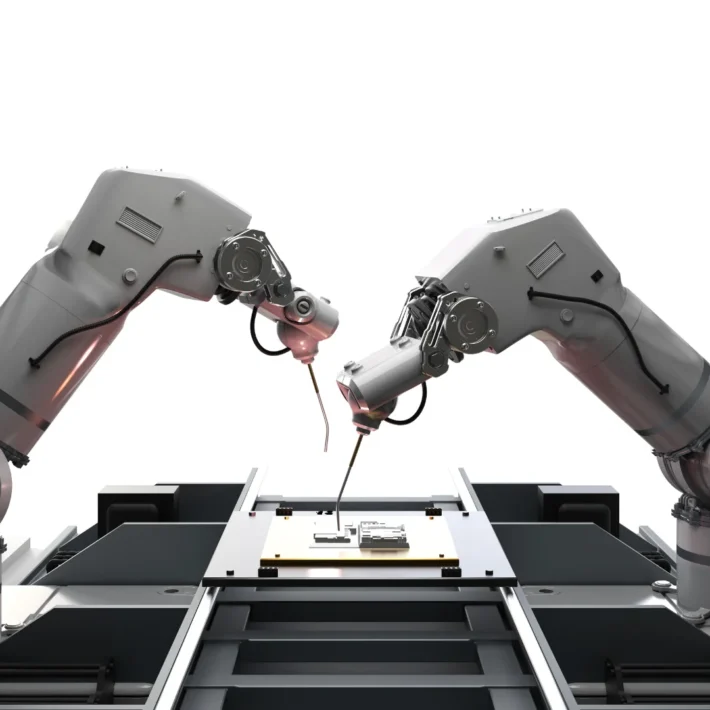
What is UiPath & How Does It Automate Business Processes In 2025?

In 2025, UiPath isn’t just a tool—it’s your company’s behind-the-scenes superhero. It’s the tireless digital workforce that works 24/7, never complains, never makes typos, and integrates seamlessly with virtually every application you use.
Whether it’s SAP, Salesforce, Excel, Outlook, custom-built legacy systems, or cloud platforms, UiPath connects the dots—automating everything from basic data entry to advanced decision-making processes using AI.
The Automation Lifecycle: How UiPath Actually Works
So, how does UiPath automate business processes in 2025? Let’s break it down:
- Discovery
UiPath helps you identify automation opportunities with tools like Process Mining and Task Mining. These features analyze your workflows and suggest where automation can have the biggest impact. - Build
Using UiPath Studio or StudioX, you create automations using an intuitive drag-and-drop interface. You don’t need to be a developer—if you can make a PowerPoint, you can build an automation. - Manage
The UiPath Orchestrator acts like mission control, allowing you to deploy, monitor, and manage all your bots from a single dashboard. - Run
UiPath bots execute tasks around the clock. These digital workers can be attended (triggered by humans) or unattended (fully autonomous). - Engage
Through UiPath Apps, Chatbots, or integrations with Microsoft Teams and Slack, you can directly interact with your automations—no switching systems. - Measure
With UiPath Insights, you can monitor performance and ROI through customizable dashboards, ensuring your bots are doing their job and then some.
In 2025, UiPath isn’t just executing processes—it’s optimizing them.
What is UiPath?
Let’s demystify UiPath from the ground up—minus the jargon, minus the fluff.
UiPath is a Robotic Process Automation (RPA) platform, but that’s just the tip of the automation iceberg. At its core, UiPath lets you create software robots—or “bots”—that mimic human actions. Think clicking, typing, reading from a PDF, sending emails, filling out forms, cross-referencing databases, even handling entire business workflows from start to finish.
What’s changed in 2025? Just about everything.
UiPath has gone from being a simple bot-builder to becoming a full-blown automation ecosystem. It now blends traditional RPA with:
- Artificial Intelligence (AI)
Bots now use natural language processing, image recognition, and cognitive learning to make decisions like a human would. - Machine Learning Models
Integrated AI models help bots continuously improve over time. Got a process that involves ambiguity or frequent change? UiPath adapts. - Low-Code Development
No programming degree? No problem. UiPath StudioX lets business users automate tasks using a visual interface. The learning curve? Practically a speed bump. - Document Understanding
UiPath bots can now “read” documents—extracting names, invoice numbers, addresses, even handwriting—from PDFs, images, and scanned files. - Process Mining
UiPath uses this to watch how processes actually happen in real-time, then recommends ways to streamline and automate them.
UiPath in 2025 isn’t just a software tool—it’s the backbone of operational efficiency for businesses across industries.
Real-World Application? Everywhere.
Whether it’s a hospital automating patient records, a bank processing thousands of loan applications, or a logistics company coordinating deliveries across continents, UiPath is quietly—yet powerfully—doing the work.
Why UiPath is a Game-Changer in 2025
Alright, let’s cut through the hype. Why is UiPath the name on every IT director’s whiteboard, CIO’s wishlist, and CFO’s budget sheet in 2025? Simple: It works. But more than that—it works intelligently.
1. It’s Not Just Automation—It’s Intelligent Automation
Traditional RPA was about mimicry. Click here, copy that, paste this. But UiPath in 2025 is more like having a junior analyst who learns, thinks, and adapts.
Through powerful integrations with AI giants like OpenAI, Google Cloud AI, and Microsoft Azure Cognitive Services, UiPath bots can:
- Understand unstructured data
- Make decisions based on rules or AI-driven analysis
- Communicate using natural language
- Detect anomalies and flag exceptions
- Personalize user experiences
It’s not just about following orders—it’s about acting with insight.
2. You Build Bots with a Drag-and-Drop Interface
Building a bot used to be a developer’s job. Now? With UiPath StudioX, your finance analyst or HR manager can build automations without ever writing code.
- Need to automate payroll exports to Excel every month? Drag, drop, done.
- Want to scrape pricing data from competitors’ websites? Click, automate, forget about it.
UiPath makes it possible—and dare we say—fun.
3. It Scales With You
You don’t need to be Google to use UiPath. Start small. Automate a few repetitive workflows. See what works. Then scale—department by department, system by system.
Whether you’ve got 3 bots or 3,000, UiPath Orchestrator ensures you can manage them all without chaos. Think of it like automation air traffic control—organized, secure, and scalable.
4. It’s Secure, Compliant, and Enterprise-Ready
UiPath is serious about security. With end-to-end encryption, role-based access, and compliance frameworks built-in (think HIPAA, SOC 2, ISO 27001), enterprises in banking, healthcare, and government trust it to keep their data safe.
Even better? UiPath supports citizen development—letting business users build automations—without creating security risks or “shadow IT” problems.
5. It’s Transforming Roles, Not Replacing Them
Let’s address the elephant in the server room: automation doesn’t mean human replacement.
UiPath frees up your people to do more human work. While bots tackle the boring and repetitive, your teams get to focus on strategy, creativity, and innovation.
In short? UiPath gives you more brainpower by freeing up manpower.
Quick Table: UiPath’s Evolution (2020 vs 2025)
| Feature | UiPath in 2020 | UiPath in 2025 |
|---|---|---|
| Core Focus | Basic RPA | Intelligent Automation + AI + ML |
| User Interface | Developer-centric | Visual, no-code/low-code |
| Document Understanding | Limited | Full NLP & handwriting recognition |
| Process Discovery | Manual | Automated with Task & Process Mining |
| Integration Capabilities | Basic APIs | Seamless cloud + native app integrations |
| Scalability | Departmental | Enterprise-wide + cross-border |
| AI Integration | Experimental | Fully integrated, contextual AI |
Top Use Cases of UiPath in 2025
In 2025, UiPath has firmly established itself as more than a robotic process automation tool—it’s a critical enabler of enterprise-wide efficiency and innovation. With businesses prioritizing agility and resilience, UiPath use cases have evolved to touch every corner of the organization, from finance to HR to IT, healthcare, and beyond.
Let’s dive deep into five transformative use cases where UiPath is actively reshaping how work gets done:
1. Finance: Automated Invoice Processing
The Challenge
Accounts payable departments are notorious for being resource-intensive. Invoices arrive in different formats (PDFs, scans, emails), and data entry into ERP systems like SAP or Oracle is often slow and error-prone. Missed payments can lead to penalties, and manual matching against purchase orders causes costly bottlenecks.
The UiPath Solution
UiPath bots now handle end-to-end invoice processing. They monitor shared inboxes for incoming invoices, use Document Understanding to extract critical information (invoice number, vendor, amount, due date), cross-verify that data against internal purchase orders, and post entries into ERP systems—all in seconds.
The 2025 Edge
UiPath integrates advanced AI and NLP capabilities to handle unstructured invoice formats with greater accuracy. With real-time validation and exception handling through the Action Center, finance teams intervene only when truly needed.
Business Impact:
- 75% faster processing time
- Up to 90% reduction in manual errors
- Significant early payment discounts captured
2. HR: Streamlined Employee Onboarding
The Challenge
HR departments face pressure to create seamless onboarding experiences while juggling multiple tools—HRIS platforms, email systems, learning management tools, and more. Manual onboarding is time-consuming and prone to inconsistencies.
The UiPath Solution
With UiPath, HR automation covers every touchpoint. As soon as a new hire is entered into the HRIS, bots spring into action:
- Create user credentials and email accounts
- Provision hardware/software
- Enroll the employee in training courses
- Send welcome emails and benefits information
- Schedule introductory meetings
The 2025 Edge
Thanks to UiPath Apps, HR teams now launch fully automated onboarding portals with user-friendly interfaces. Personalized onboarding workflows are created in StudioX—no coding required.
Business Impact:
- Onboarding time reduced from days to minutes
- 100% compliance with onboarding checklists
- Greater employee satisfaction from day one
3. IT: Helpdesk Ticket Resolution
The Challenge
IT helpdesks are buried in repetitive requests—password resets, VPN access, software installs. Resolving these manually drains time and frustrates users waiting in queues.
The UiPath Solution
UiPath bots monitor ticketing systems (like ServiceNow or Zendesk) and autonomously resolve common issues. A password reset request? The bot verifies identity, resets the password, and notifies the user. Need a software update? The bot installs it after validating device compliance.
The 2025 Edge
Integrated with Generative AI and Conversational Interfaces, UiPath bots can now handle more complex interactions, understand intent in natural language, and escalate intelligently when needed.
Business Impact:
- 60% reduction in manual IT interventions
- 24/7 issue resolution
- Faster MTTR (mean time to resolve)
4. Healthcare: Patient Records Management
The Challenge
Healthcare organizations struggle with data overload. Staff spend hours entering patient information, verifying insurance, updating EHRs (Electronic Health Records), and coordinating appointments.
The UiPath Solution
UiPath bots pull patient data from intake forms or emails, verify insurance coverage, update systems like Epic or Cerner, and schedule appointments without human input. Compliance with HIPAA and healthcare regulations is ensured by strict bot governance.
The 2025 Edge
With AI-enhanced document understanding, bots can accurately extract and interpret even handwritten notes or scanned images from legacy systems, while maintaining full traceability and auditability.
Business Impact:
- Significantly reduced administrative burden
- Enhanced compliance and data accuracy
- Healthcare providers focus more on patient care, less on paperwork
5. Customer Support: Email and Chat Automation
The Challenge
Customer support teams are swamped with high volumes of emails and chat requests, many of which are repetitive: order status, returns, FAQs. Traditional automation rules struggle with variability in customer language.
The UiPath Solution
UiPath bots now read, understand, and respond to emails in real time using Natural Language Processing (NLP). Integrated with customer CRM systems (like Salesforce or HubSpot), they retrieve relevant information and draft intelligent responses. When the situation is too complex, the bot routes it to the right human agent with all context included.
The 2025 Edge
The combination of UiPath and OpenAI-based copilots makes bots conversationally fluent. In chat interfaces, customers often don’t realize they’re interacting with a bot at all.
Business Impact:
- Reduced response times
- Improved first-touch resolution
- Boosted CSAT (Customer Satisfaction Score)
Use Case Summary Table
| Department | Task Automated | Business Impact |
|---|---|---|
| Finance | Invoice Processing | 75% faster processing time |
| HR | Employee Onboarding | Consistent, accurate onboarding |
| IT | Ticket Resolution | 60% reduction in manual interventions |
| Healthcare | Records Management | Improved compliance, reduced administrative burden |
| Customer Support | Email & Chat Automation | Faster response times, higher CSAT |
Improve your Internal Processes.
UiPath’s Core Features Explained
To fully understand why UiPath is so powerful in 2025, you need to know what’s under the hood. This isn’t just about bots running scripts—it’s about an integrated ecosystem that empowers humans, amplifies intelligence, and delivers real business outcomes.
Let’s explore the core features that make UiPath the go-to intelligent automation platform of the year.
UiPath Studio
The main automation design environment used by developers and advanced users. It provides a rich visual interface, robust debugging tools, workflow templates, and support for VB.NET, C#, and Python integrations.
Why It Matters:
Developers build sophisticated, scalable automations using conditional logic, APIs, and custom scripts—without reinventing the wheel.
UiPath StudioX
Built for citizen developers—non-technical business users who want to automate their own tasks. StudioX offers a no-code, Excel-like environment with drag-and-drop simplicity and natural language prompts.
Why It Matters:
Empowers departments to automate independently without IT bottlenecks.
UiPath Orchestrator
The central nervous system of UiPath. This web-based platform manages, monitors, and deploys bots across the organization. You can schedule automations, control access, and track performance in real time.
Why It Matters:
Enterprise-grade governance, auditing, and security for every automation deployment.
UiPath Robots
These are the digital workers—attended or unattended—that execute the tasks defined in Studio or StudioX. Attended bots assist users in real time; unattended bots operate independently in the background.
Why It Matters:
Scalable, consistent execution of repetitive tasks 24/7 without fatigue.
Task Capture
A lightweight tool that records user actions step by step and converts them into automation-ready workflows or documentation for developers.
Why It Matters:
Great for process discovery and training, speeding up the automation lifecycle.
Document Understanding
An AI-powered module that extracts, classifies, and validates data from semi-structured and unstructured documents—like PDFs, images, forms, emails, and scanned files.
Why It Matters:
Reduces manual data entry, improves accuracy, and expands automation to complex documents.
AI Center
Allows organizations to deploy custom machine learning models or integrate with pre-built models from Google, Azure, and OpenAI. Models are seamlessly integrated into automation workflows.
Why It Matters:
Brings true intelligence to automation—classification, prediction, forecasting, even sentiment analysis.
Action Center
Provides a bridge between automation and human intervention. When a bot encounters a task requiring human judgment, it passes it to Action Center for review and resumption.
Why It Matters:
Enables human-in-the-loop automation—ideal for exception handling, approvals, and compliance workflows.
Process Mining
Analyzes system event logs to discover inefficiencies, map actual workflows, and recommend areas for automation. Pairs well with Task Mining for comprehensive insight.
Why It Matters:
Data-driven automation decisions with measurable ROI from day one.
Insights
Real-time analytics dashboard that tracks automation KPIs—bot utilization, cost savings, error rates, and business impact.
Why It Matters:
Transparency, performance optimization, and proof of value across all automation initiatives.
UiPath vs. Other RPA Tools: A Head-to-Head Comparison
Let’s face it—UiPath isn’t the only player in the RPA space. There are other giants making waves, from Automation Anywhere to Microsoft Power Automate. But when you zoom in on capability, user experience, and scalability in 2025, UiPath doesn’t just participate in the competition—it sets the pace.
Here’s a detailed breakdown of how UiPath stacks up against the others—and why more enterprises are making it their go-to automation platform.
No-Code Capabilities: Empowering the Business User
- UiPath:
UiPath’s StudioX puts true no-code power in the hands of business users. With drag-and-drop interfaces, prebuilt templates, and natural language actions, even those with zero technical background can build workflows. It’s not just “low-code friendly”—it’s designed for business users who want automation without needing IT every time. - Automation Anywhere:
Offers moderate no-code tools, but the experience is often more tailored to developers or technically-savvy users. Business users might face a steeper learning curve when building automations from scratch. - Microsoft Power Automate:
Strong no-code potential, especially for those already in the Microsoft ecosystem. It integrates deeply with tools like Excel, SharePoint, and Outlook, making it great for simple workflows—but falls short in handling complex enterprise-wide automations.
Verdict:
UiPath wins for accessibility and user empowerment. Whether you’re a business analyst or a C-suite executive, UiPath meets you at your skill level.
AI Integration: The Brain Behind the Bot
- UiPath:
With native integrations to AI Center, Document Understanding, and OpenAI/GPT APIs, UiPath brings AI into automation workflows effortlessly. Need a bot that reads contracts, classifies emails, or makes predictive decisions? UiPath makes it happen—and integrates your own ML models too. - Automation Anywhere:
AI integration is available but typically through external services or advanced configurations. It lacks the seamless, embedded AI experience UiPath offers out of the box. - Power Automate:
Leverages Microsoft’s AI ecosystem (like Azure Cognitive Services), but you’re largely tied to Microsoft’s AI stack. Customization and third-party AI integrations are possible, but more limited.
Verdict:
UiPath leads with intelligent automation baked in, not bolted on. AI isn’t a feature—it’s part of the DNA.
Community Support: You’re Not Automating Alone
- UiPath:
The UiPath Community Forum is legendary—millions of developers, thousands of answered questions, and frequent engagement from UiPath’s own product teams. Add in UiPath Academy, YouTube tutorials, webinars, and massive open-source projects, and you’ve got a community that feels more like a movement. - Automation Anywhere:
Growing steadily, with more formal training and forums, but less community-driven content. Fewer user-contributed components compared to UiPath’s Marketplace. - Power Automate:
Strong support from the broader Microsoft community, especially helpful if you’re already a Microsoft 365 shop. However, many users note that Power Automate lacks dedicated RPA depth compared to competitors.
Verdict:
UiPath’s community is a serious strategic asset. You’re not just adopting software—you’re joining a global tribe of automators.
Scalability: Built for Now, Ready for Growth
- UiPath:
UiPath is engineered to scale. It’s not just about adding more bots—it’s about managing them smartly through Orchestrator, building governance through automation hubs, and maintaining visibility with Insights. Whether you’re scaling from 10 bots to 10,000, UiPath stays in control. - Automation Anywhere:
Offers decent scalability, particularly in environments that are already automation-mature. However, some enterprises report growing pains when scaling beyond the basics—especially without advanced orchestration. - Power Automate:
Works wonderfully for small to mid-sized businesses, particularly those running on Microsoft 365. That said, it’s not designed for large, complex RPA ecosystems with thousands of bots or cross-departmental automation strategies.
Verdict:
UiPath is enterprise-grade from the ground up. If growth is in your future, this is the tool that grows with you.
Learning Curve: How Fast Can You Get Started?
- UiPath:
Thanks to StudioX, Academy courses, and tons of community-driven learning content, UiPath is the most beginner-friendly platform around. Developers can level up fast, and non-tech folks feel empowered to start automating on day one. - Automation Anywhere:
Has a steeper learning curve and a more developer-focused interface. Great once you’re trained—but not the friendliest for automation newbies. - Power Automate:
A moderate learning curve, especially for those already familiar with Microsoft tools. But it becomes complex quickly when trying to scale or create cross-application workflows.
Verdict:
UiPath is like automation with training wheels—you learn fast, ride confidently, and upgrade effortlessly.
Final Thoughts on the Comparison
UiPath leads the RPA pack in 2025 for a reason:
- It’s intuitive yet powerful.
- Developer-centric yet business-user friendly.
- AI-ready out of the box.
- Supported by a thriving global community.
That’s not to say Automation Anywhere or Power Automate don’t have their place. They do. But if your vision includes enterprise-wide transformation, integrated AI, and sustainable automation at scale—UiPath is your best bet.
Conclusion: The Future is Automated—with UiPath
Let’s end on a clear note: Automation is no longer optional. It’s no longer a “nice-to-have.” It’s the bedrock of how future-ready organizations operate. And in 2025, UiPath isn’t just helping companies automate—it’s redefining what work looks like. Gone are the days of:
- Tedious data entry.
- Copy-paste chaos between systems.
- Backlogged IT tickets and sluggish workflows.
Instead, welcome:
- Bots that think and act with AI.
- Employees freed up to innovate, not administrate.
- Processes that just work—faster, smarter, and more reliably than ever.
So… What Will You Automate First?
Will you start with finance, slashing invoice turnaround times? Or HR, onboarding new talent with zero delay? Maybe IT, letting bots resolve tickets in minutes instead of hours? The beauty of UiPath is that you don’t have to choose just one. With the right vision, you can automate across departments—and scale into a digital-first enterprise that’s ready for whatever the future holds. Because the future? It’s automated. And UiPath is already there—waiting to take you with it.